
OK so every now and then I'll see an avatar with a clear background. I have no idea how to keep the background clear when converting the avatar to a format that will be supported by phpbb. I think I saw winnow use a clear background avatar. I have an avatar I want to start using for the ogame forums, but I don't know how to reduce it in size and keep the background clear. Can anyone tell me how to do it?
Here is the avatar I want. It already has a clear background but when I convert it to jpg or reduce the size it gets jacked up.
http://upload.wikimedia.org/wikipedia/e ... nmovie.png
Thanks.
Avatar question
Moderator: TheMachine
Avatar question
I tell it like a true mackadelic.
Founder of Ixtlan - the SCUM of Veeshan.
Founder of Ixtlan - the SCUM of Veeshan.

Re: Avatar question
Pretty cool avatar xyun!
You need to convert it into a tranparent gif
You can use this one if you want:
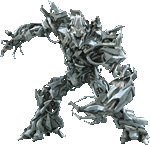
They don't always look perfect. it depends on the background color.
Here's a bigger version:

You need to convert it into a tranparent gif
You can use this one if you want:
They don't always look perfect. it depends on the background color.
Here's a bigger version:
-
Sylvus
- Super Poster!

- Posts: 7033
- Joined: July 10, 2002, 11:10 am
- Gender: Male
- XBL Gamertag: mp72
- Location: A², MI
- Contact:
Re: Avatar question
Yeah, as far as the internets are concerned, you want an image that is either a transparent GIF or a PNG with alpha transparency, though there is a bug with some of the older browsers that makes the PNG "clear" background look gray. But it works great with IE 7 and Firefox, and lets you have richer colors.
"It's like these guys take pride in being ignorant." - Barack Obama
Go Blue!
Go Blue!
Re: Avatar question
thanx winnow.
I tell it like a true mackadelic.
Founder of Ixtlan - the SCUM of Veeshan.
Founder of Ixtlan - the SCUM of Veeshan.